Warehouse operations
Pallet-Level
No scan, no ship.
Pallet-Level gives every box its own QR sticker and tracks it across all your warehouses. Phones scan boxes in, out and between sites, the office sees live stock per site, and a TV on the floor shows the day as it happens.
Pallet-Level screens
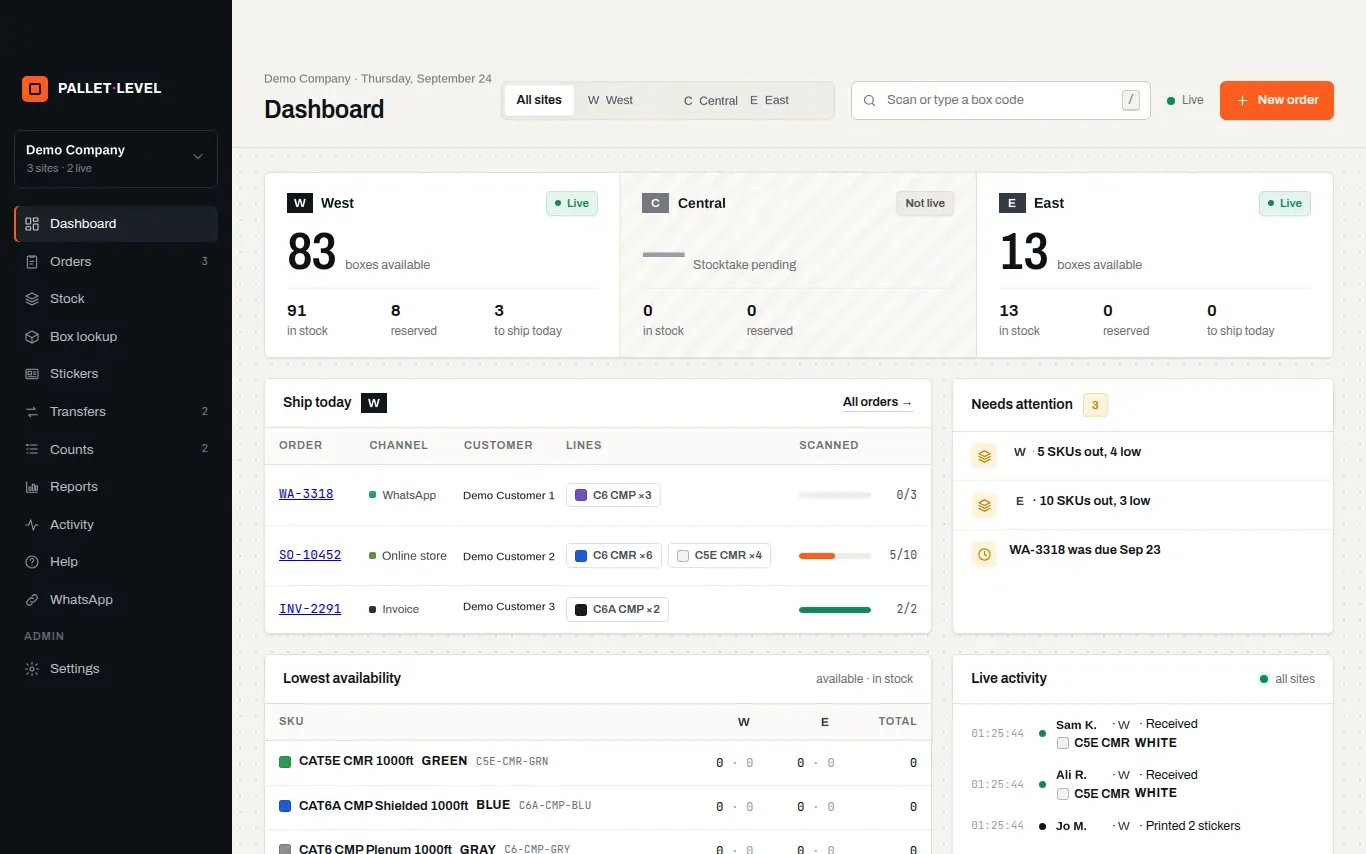
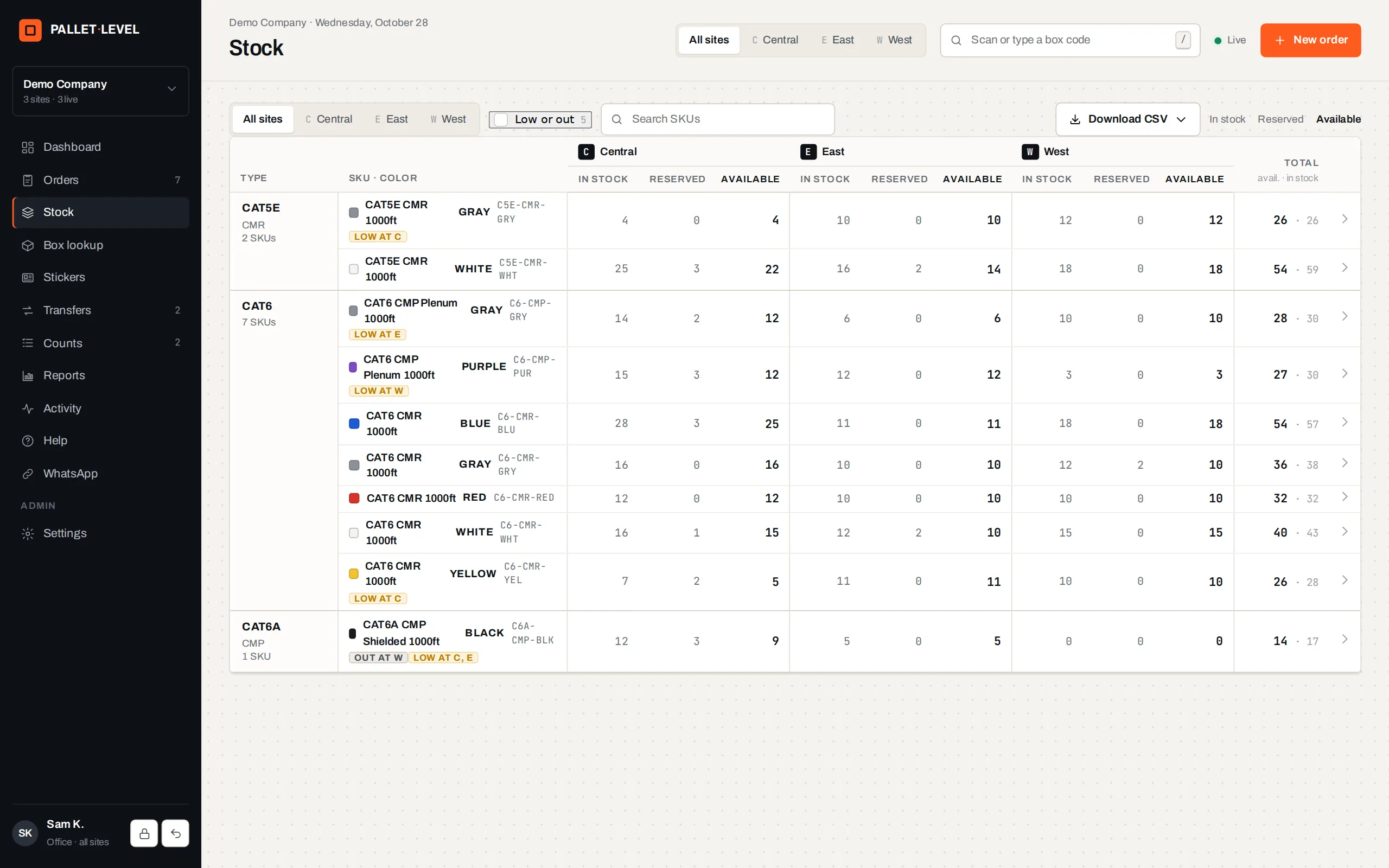
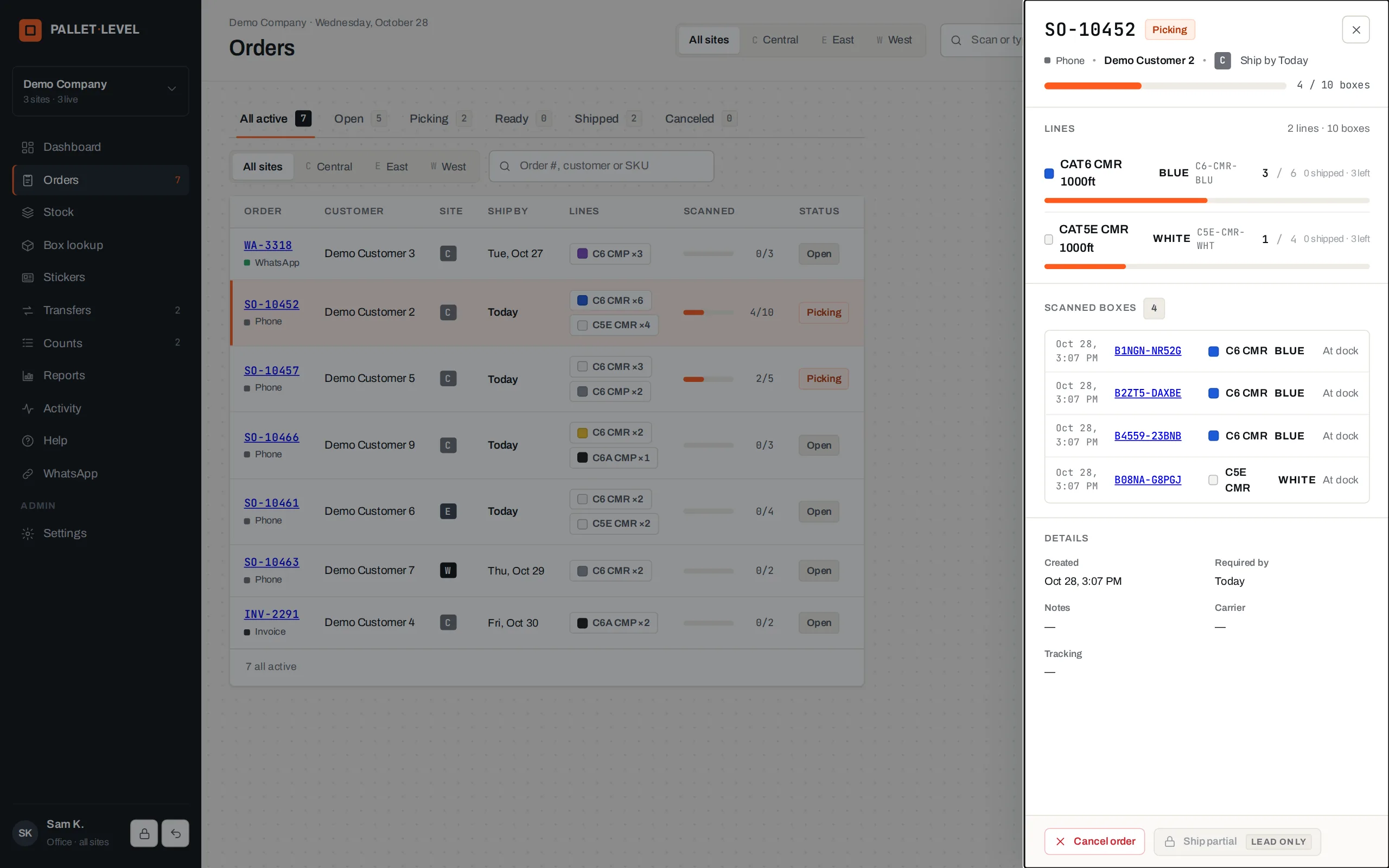
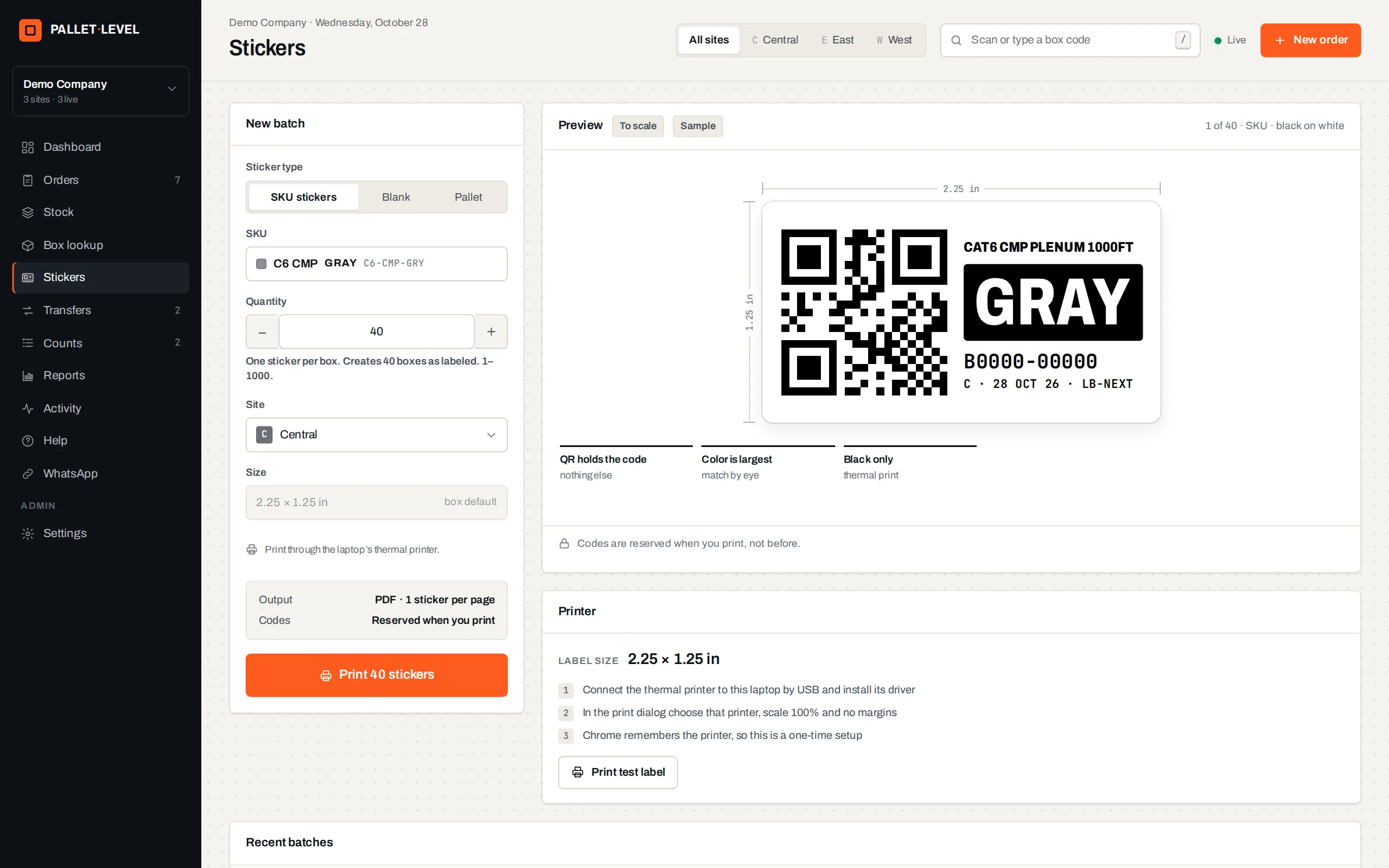
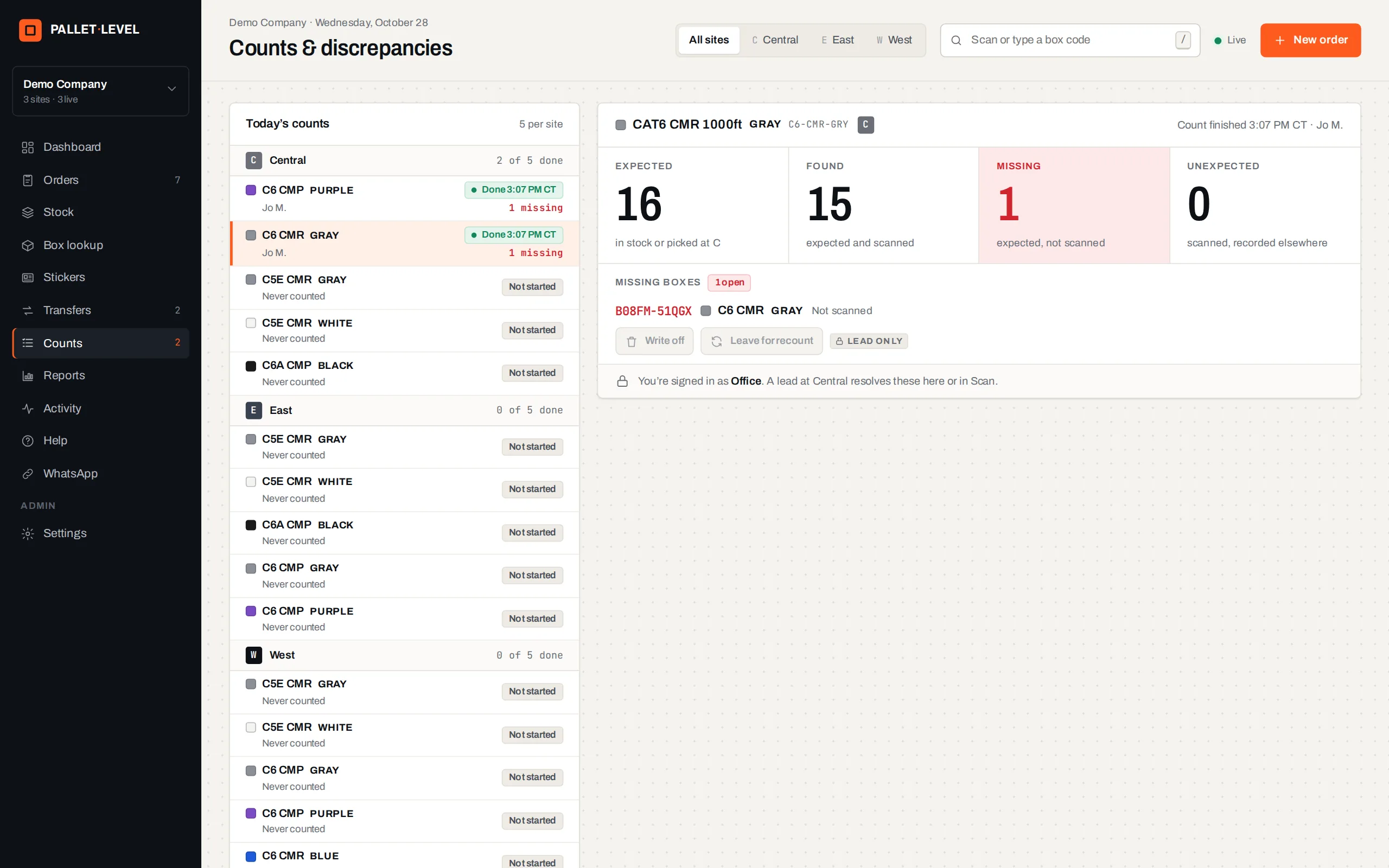
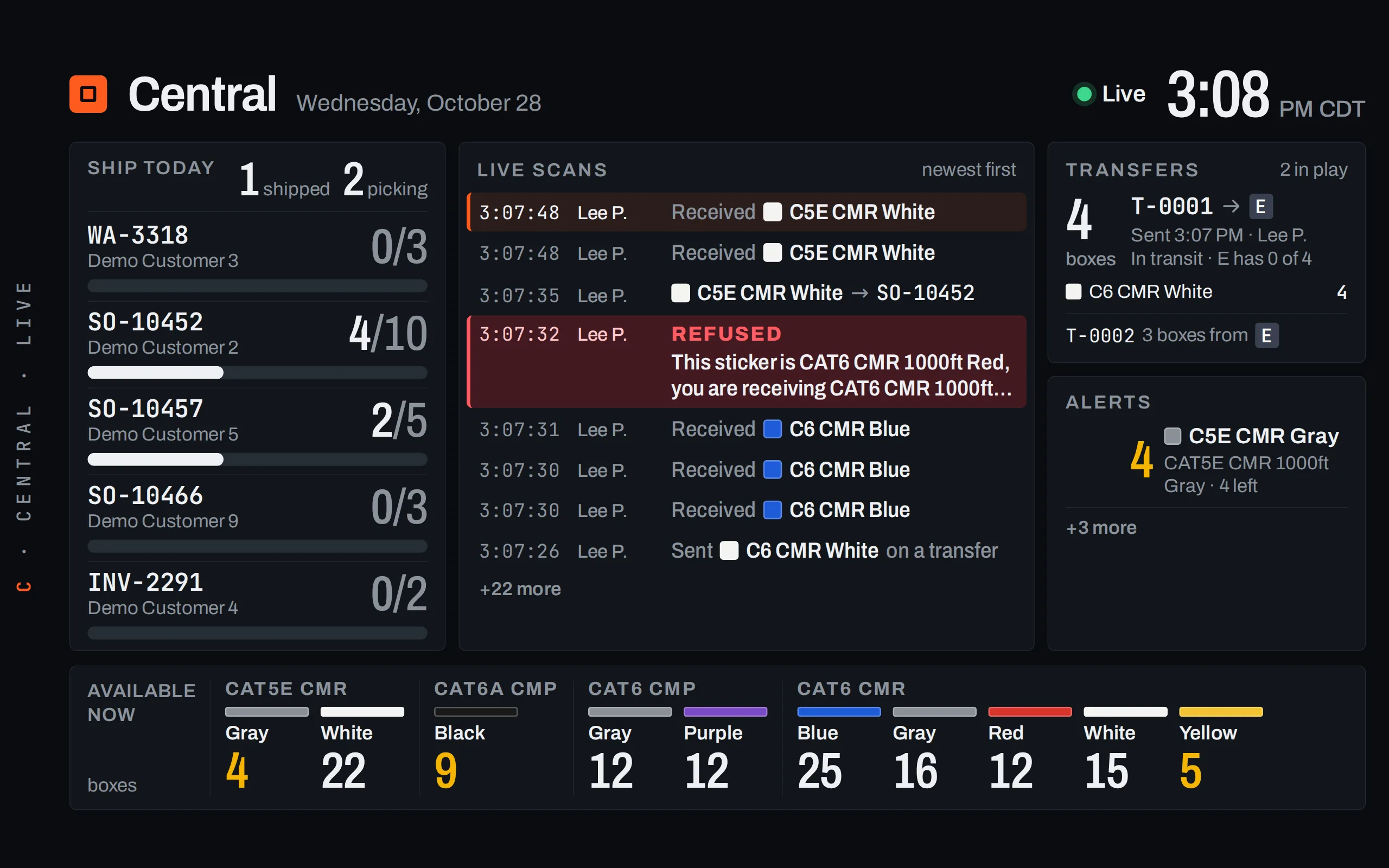
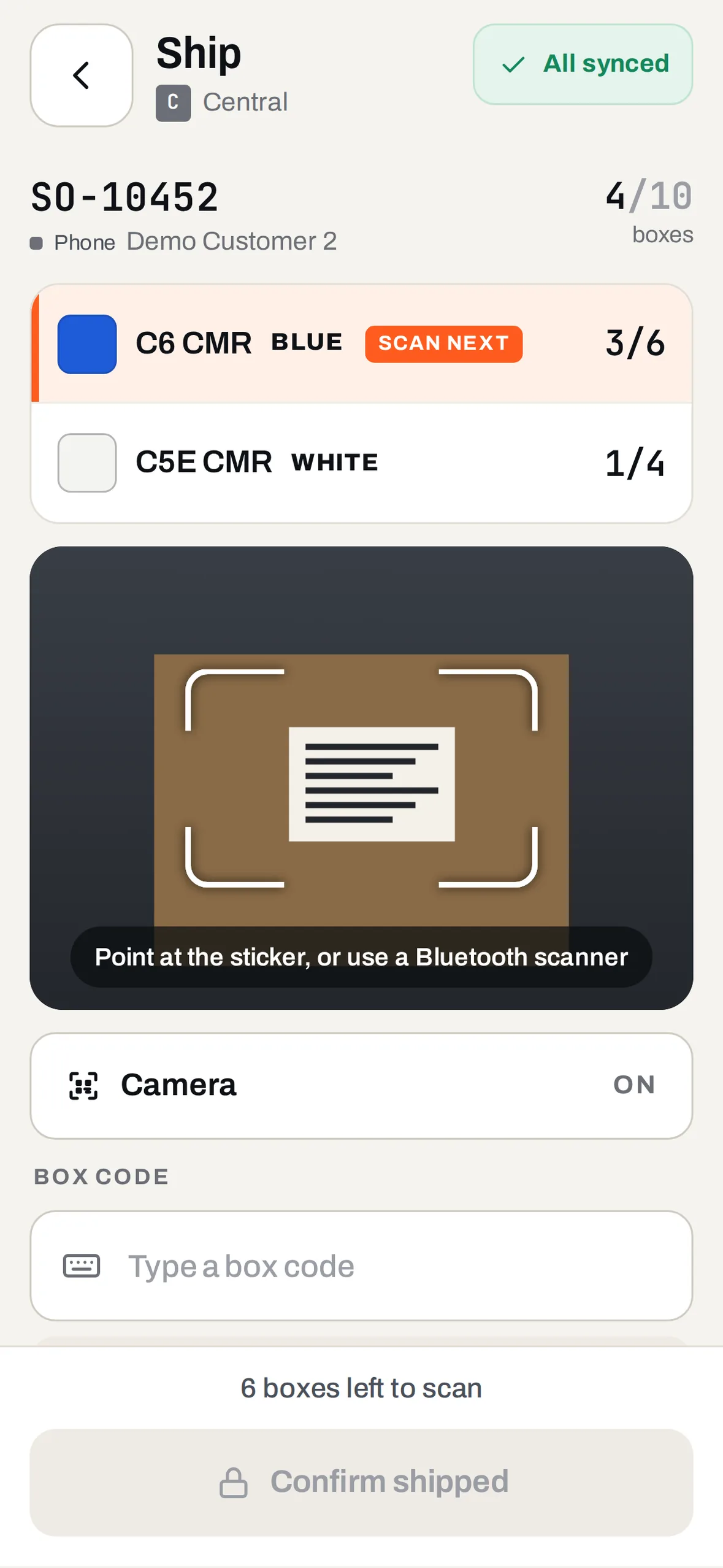
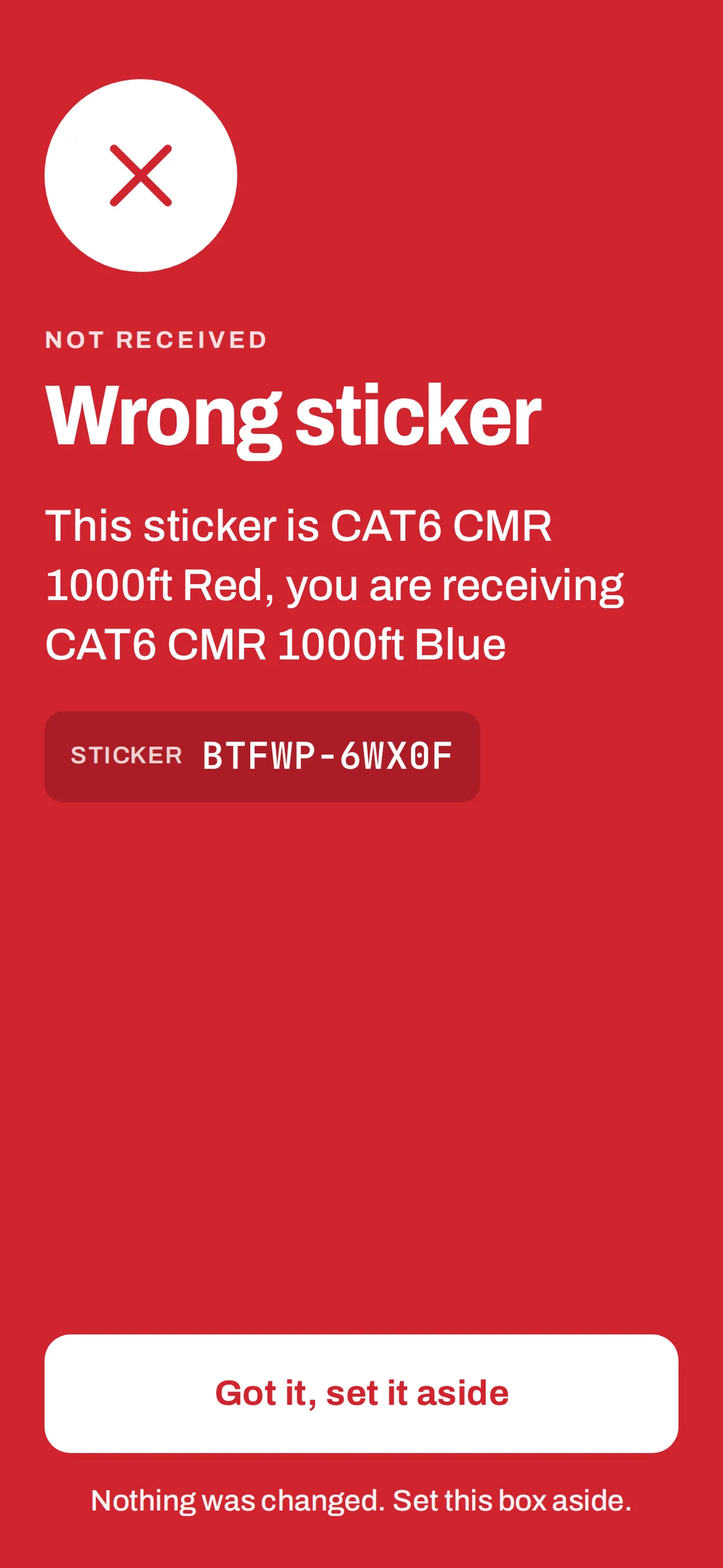
Screens from the product with sample data. Company, site and people names are fictional.
- Built for
- Logistics and Warehousing
- Status
- deliveredDelivered client system
- Runs on
- Web, phone and TV
- Built with
- React, TypeScript, Fastify, PostgreSQL
Video
Pallet-Level in under two minutes
Explainer film with AI narration. The interface is rebuilt from the product with sample data and fictional names. Features marked Coming next are built but not switched on.
Overview
Operational context
Many distributors keep stock in a spreadsheet that one person updates by hand, often a day late. Sales then promise boxes that already left, and the wrong colour goes out on the truck. Scanning every box at the moment it moves keeps the record current.
What it covers
Capabilities
QR stickers for every box, printed in batches.
Phone scanning to receive, ship, transfer and count.
Live stock per site: in stock, reserved and available.
A TV wall, Google Sheets and CSV for everyone else.
10 features
Features
Stickers
print QR sticker batches as PDF labels, void a batch or reprint a single box.
Receive
scan boxes in at the dock; a wrong sticker turns the phone red and nothing changes.
Ship
pick each order by scanning its boxes; a wrong colour or a box from another order is stopped.
Stock
in stock, reserved and available for each site, with low and out flagged against each product's minimum.
Transfers
send boxes between warehouses and receive them at the other end.
Blind counts
count a product or a pallet without seeing the expected figure, then resolve the gaps.
TV wall
today's orders, live scans, transfers and alerts on a screen on the floor.
Weak signal
scans wait on the phone and send when the connection returns.
Sheets and reports
your Google Sheet rewritten with live stock every minute, CSV downloads and four reports.
Roles
workers, leads, office and admins, each with their own login; TVs are paired and read-only.
How it works
How the workflow connects
Print stickers, receive the boxes, take orders in the office, ship by scanning, and let the wall, the Sheet and the reports show everyone the same numbers.
Label
print a QR sticker for every box.
Receive
scan boxes in; wrong stickers are set aside.
Ship
pick each order by scanning; no scan, no ship.
See
stock per site, the TV wall, your Google Sheet and reports stay current.
Status
Implementation and status
deliveredDelivered client system
A delivered client system, built for a distributor with several warehouses. Example screens use sample data. Questions answered on WhatsApp are built and switched off for now; importing orders from online stores is not built.
The discussion starts with the intended users, existing systems and delivery requirements. Confirm which functions can be demonstrated, what would need adaptation and how access, hosting and support would be arranged for the proposed use.
Built with
- React
- TypeScript
- Fastify
- PostgreSQL
Runs on
Web, phone and TV
Questions buyers ask
What is Pallet-Level?
Pallet-Level is warehouse stock tracking by QR code. It gives every box its own QR sticker and tracks it across all your warehouses. Phones scan boxes in, out and between sites, and the office sees live stock per site.
Who is Pallet-Level for?
Pallet-Level is for distributors and wholesalers with one or more warehouses. It serves everyone from the dock worker with a phone to the office team taking orders.
How does Pallet-Level stop the wrong box being shipped?
You pick each order by scanning its boxes. A wrong colour or a box from another order is stopped, and a wrong sticker turns the phone red with nothing changed. Scans wait on the phone if the signal is weak.
Is Pallet-Level ready to use?
Pallet-Level is a delivered client system, built for a distributor with several warehouses. Example screens use sample data. Importing orders from online stores is not built. To see it, use “Request a demo” on this page.
Build something like this
Losing track of stock between sites? We can put a scanner in every hand.
Request a demo