Office and business operations
eOffice
Run the office from one workspace.
eOffice brings projects, clients, the sales pipeline, people, invoices and team chat into one portal, so every team works from the same records and nobody keeps a private tracker.
eOffice screens
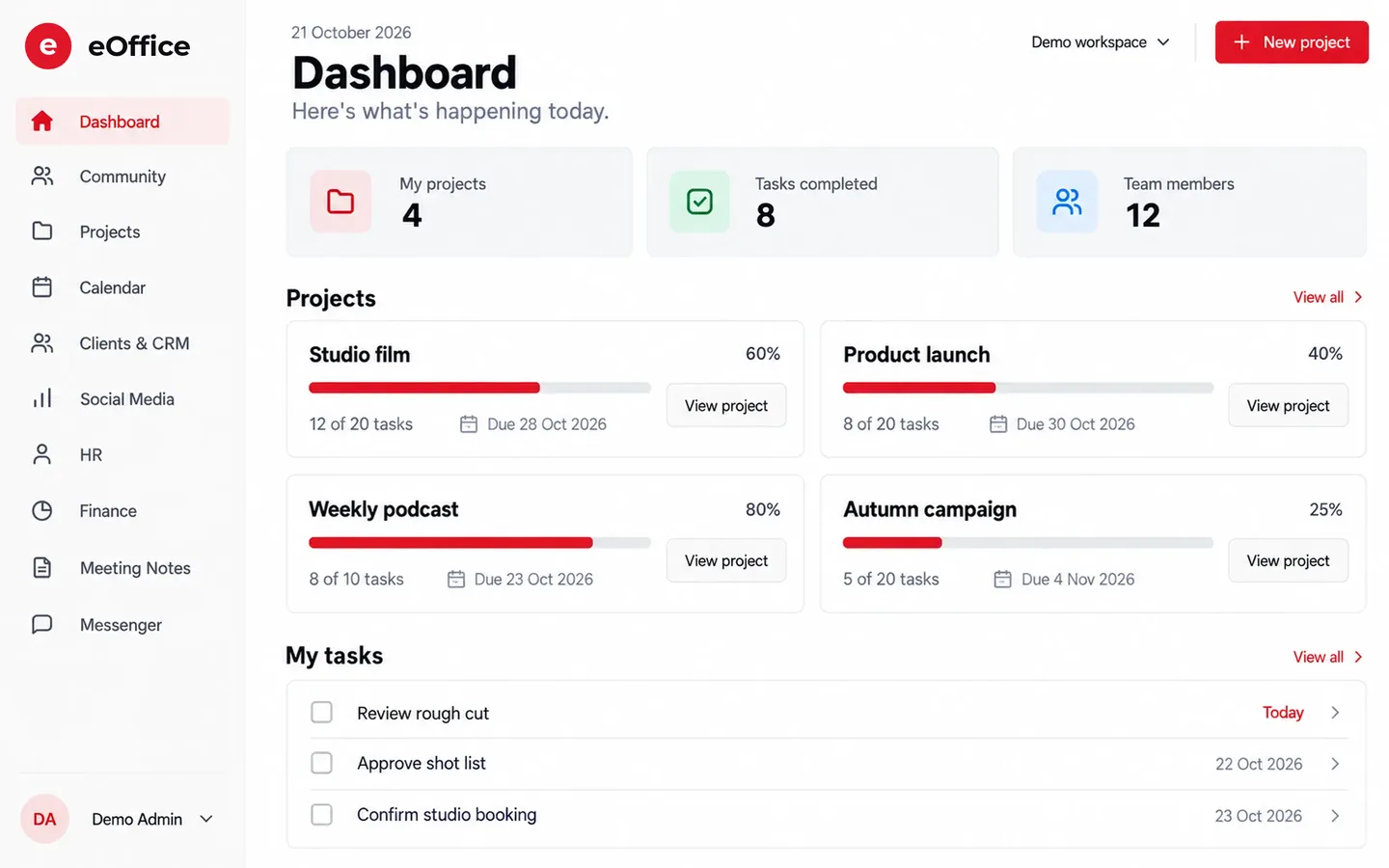
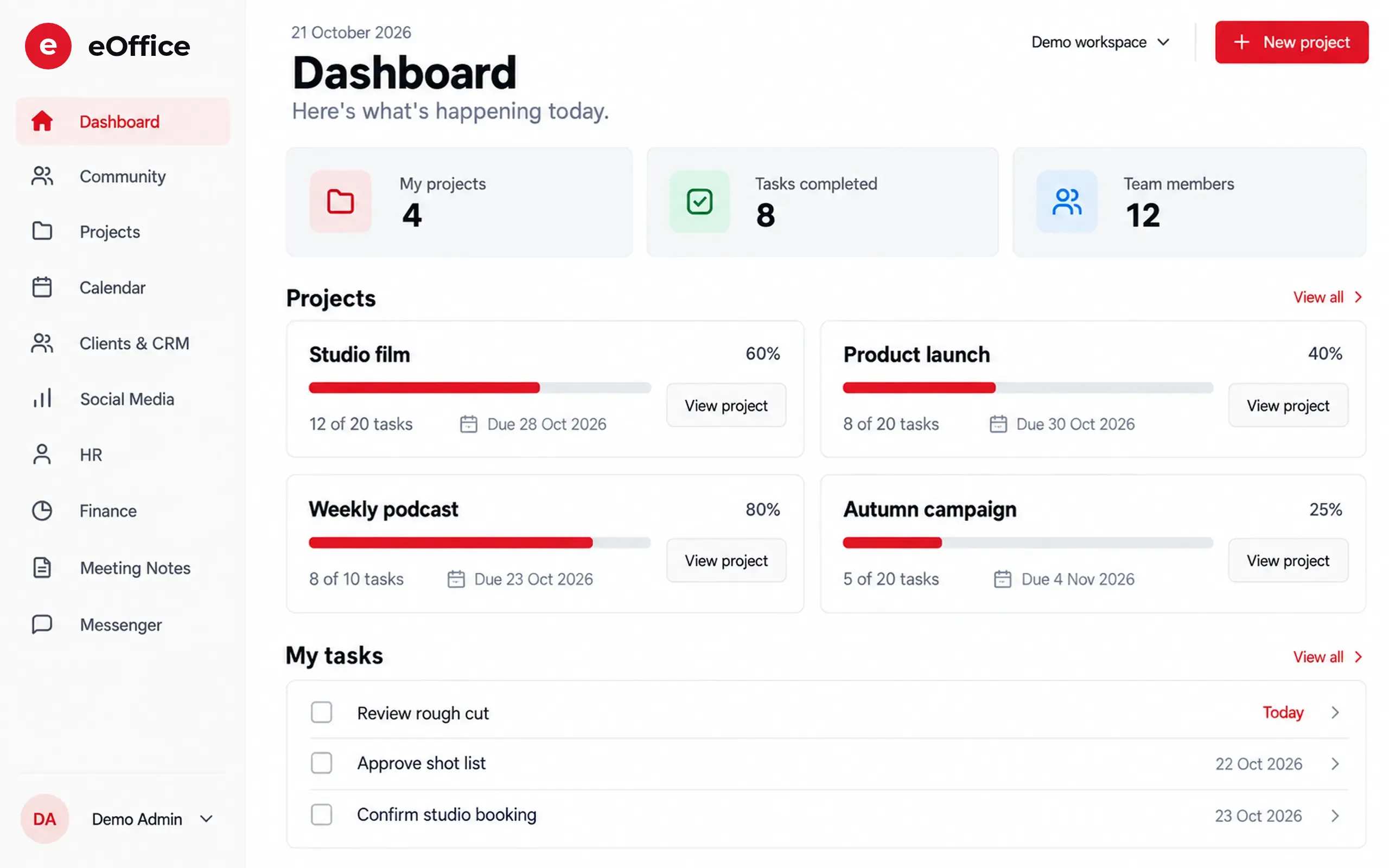
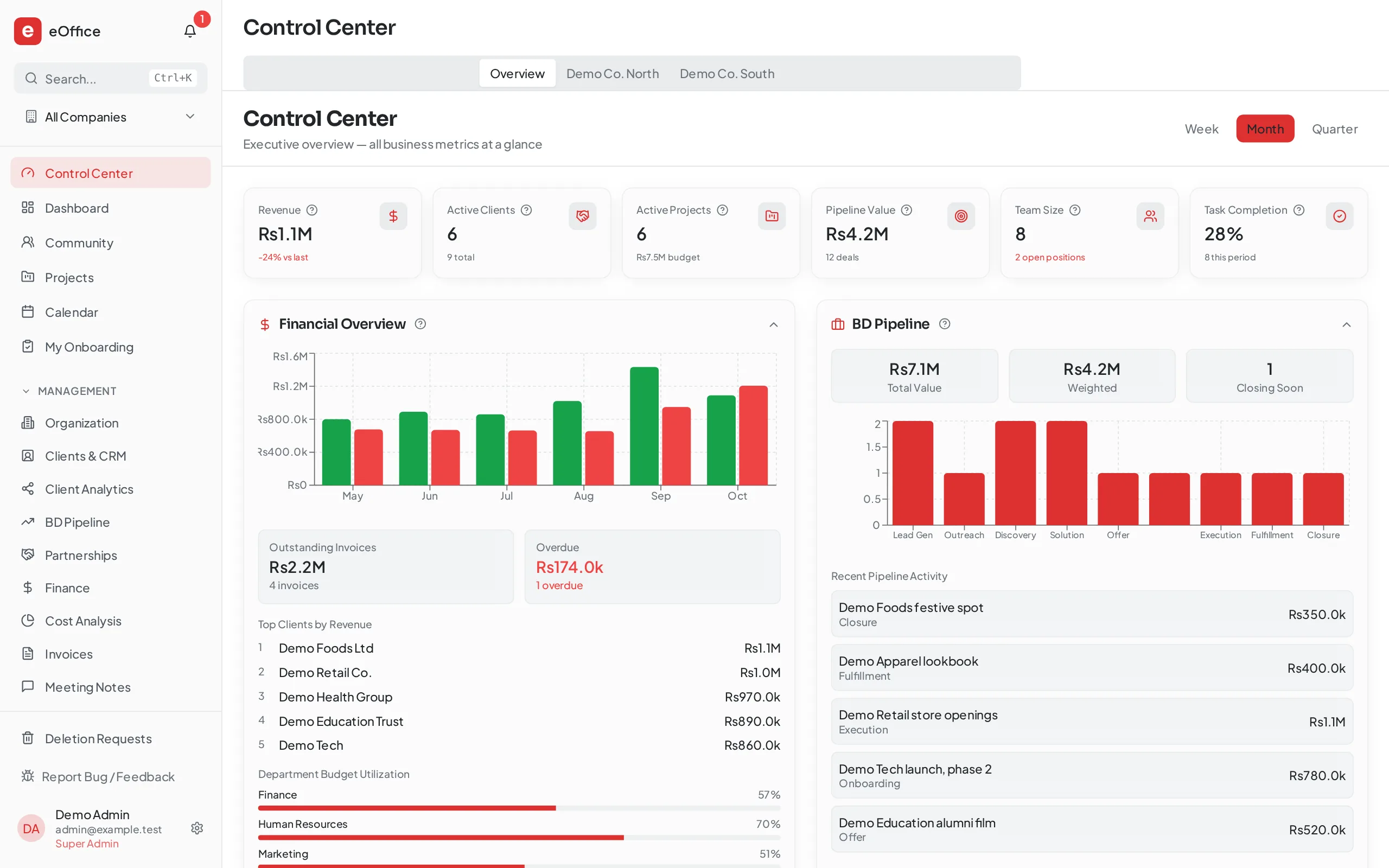
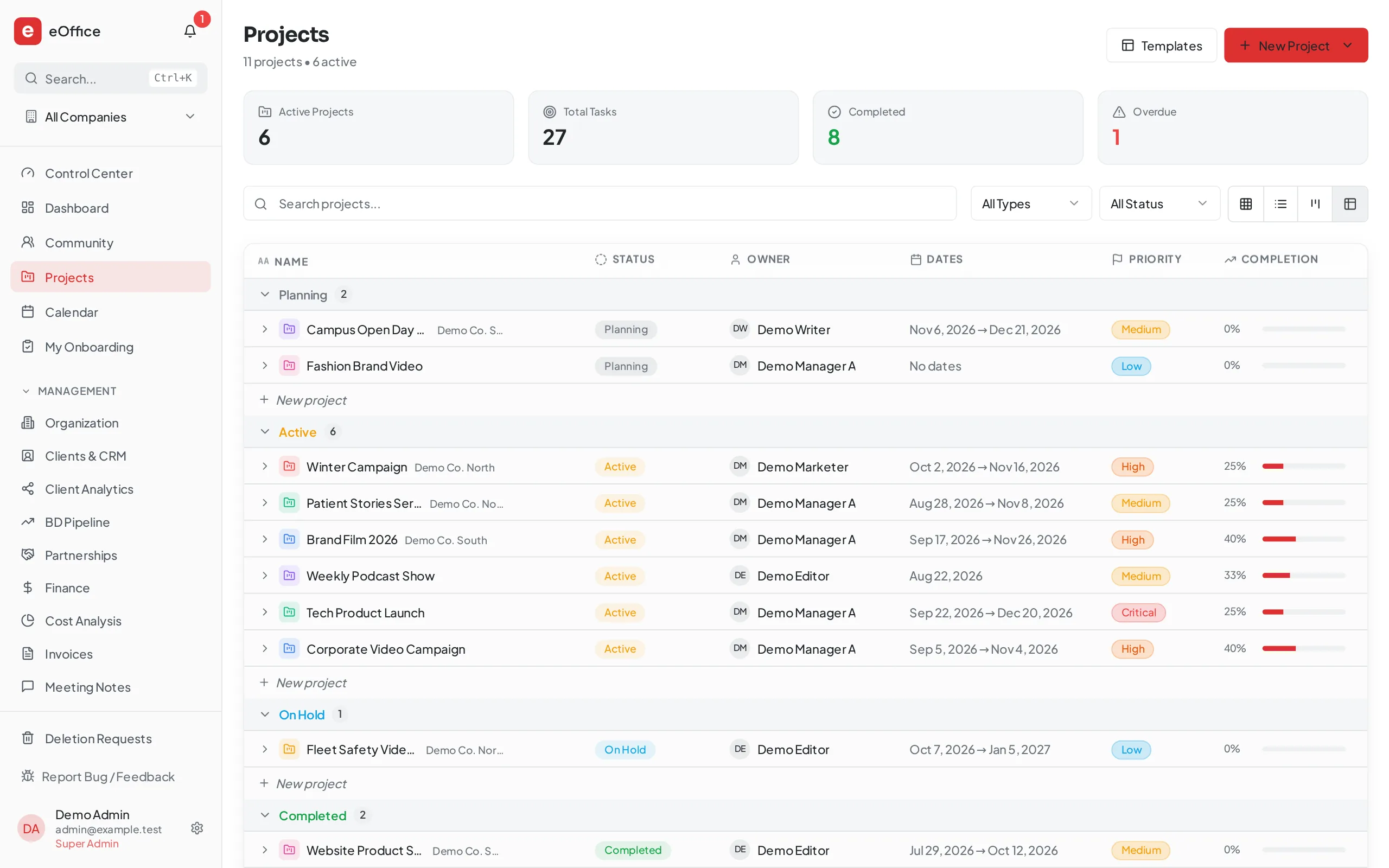
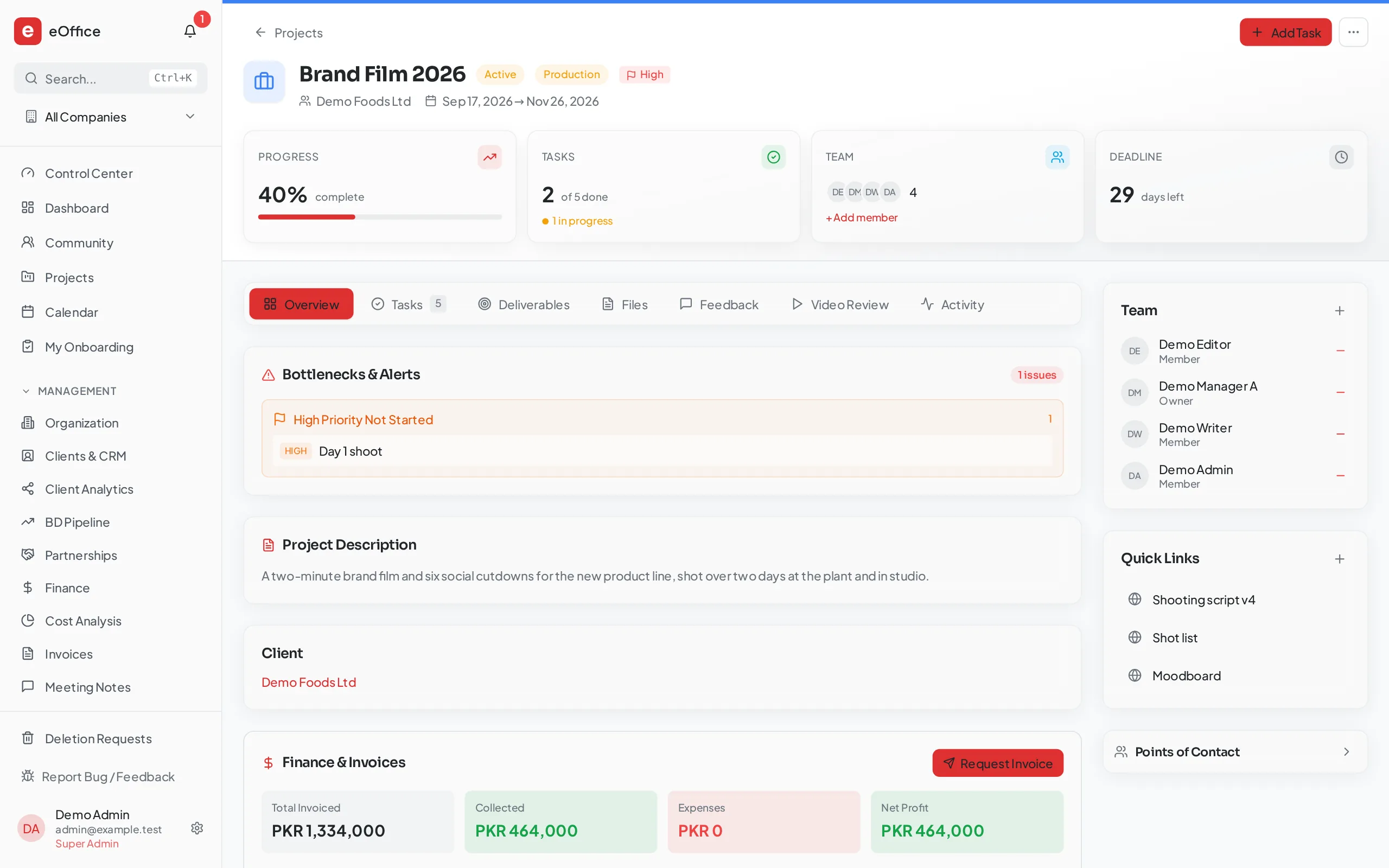
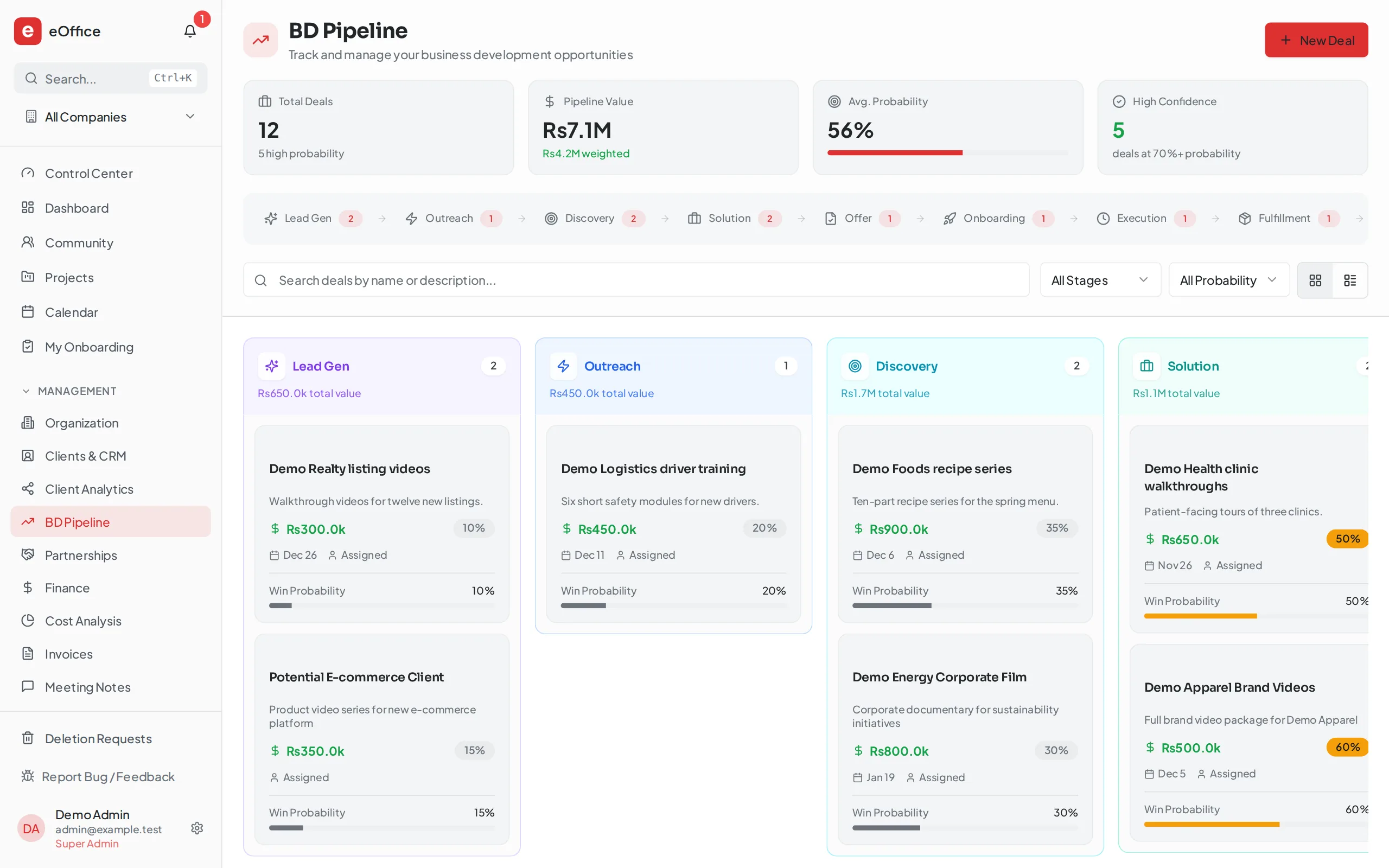
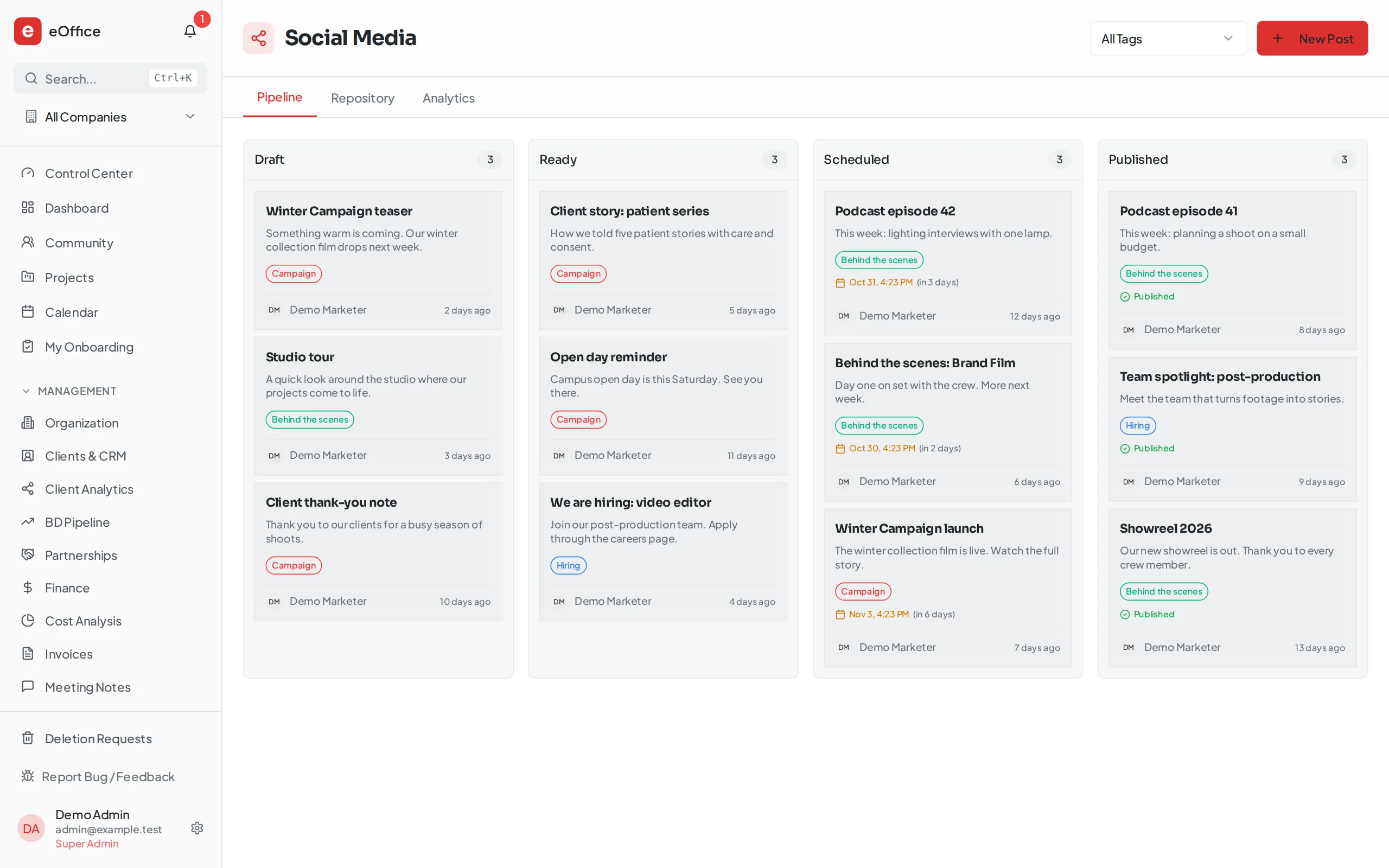
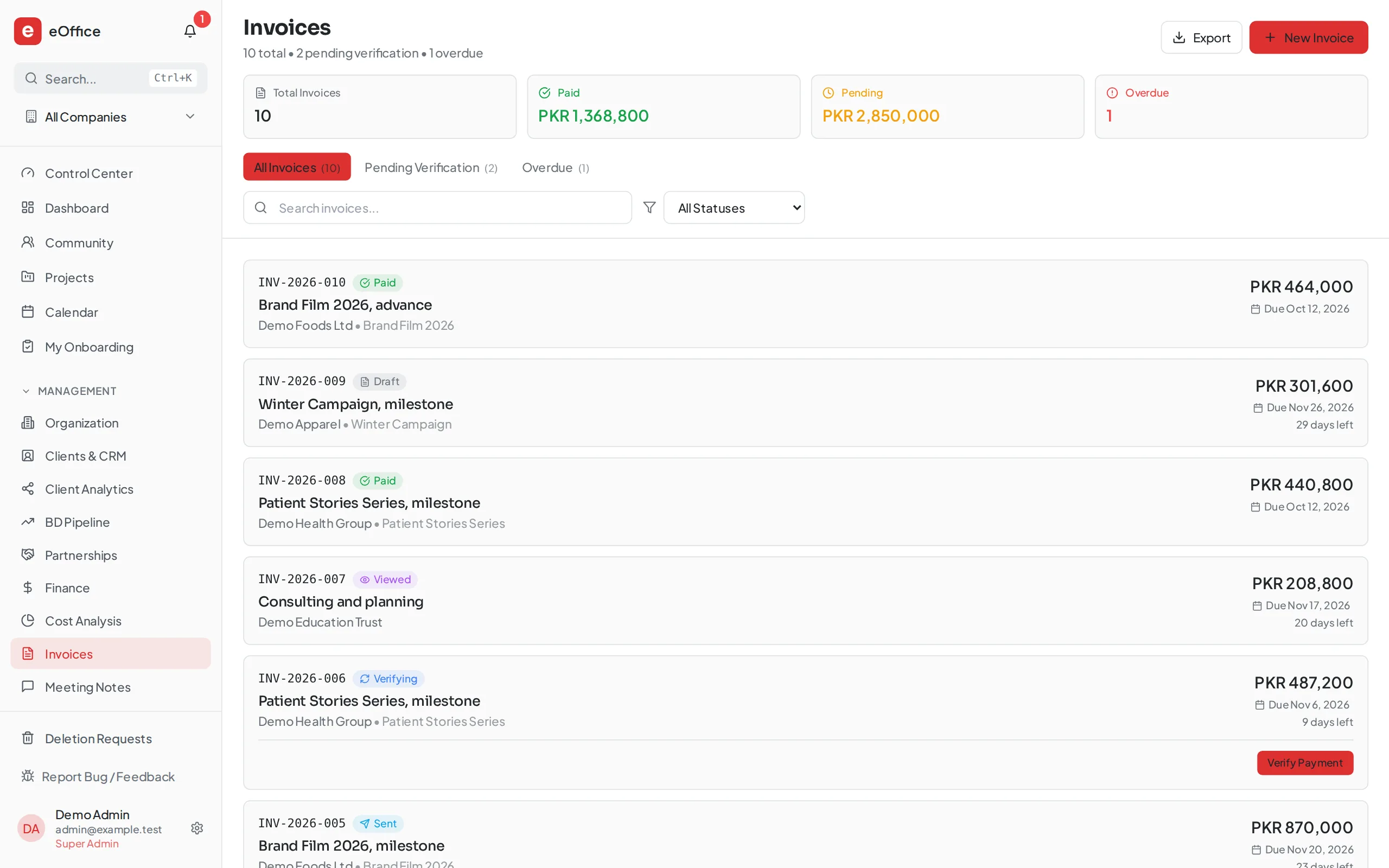
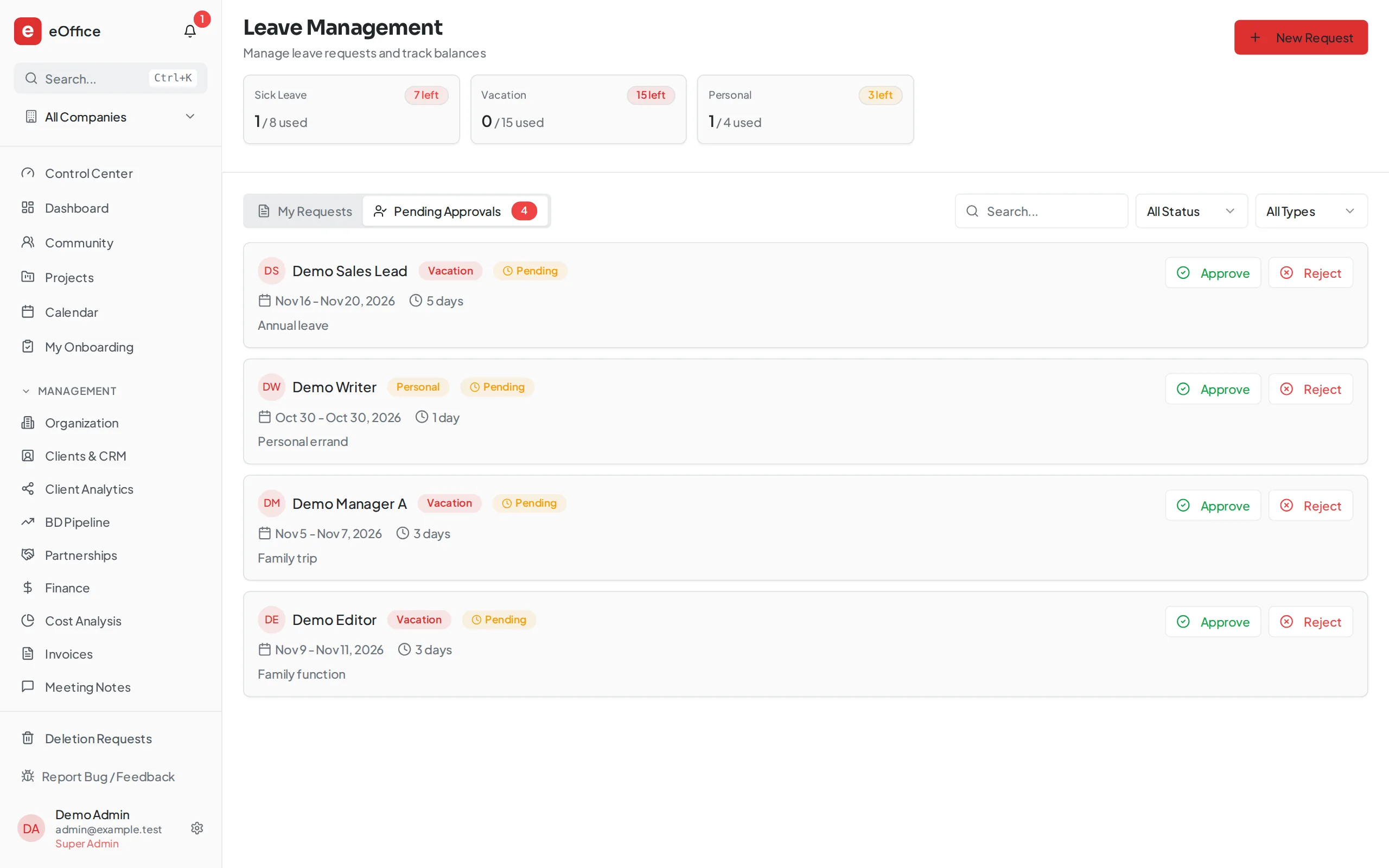
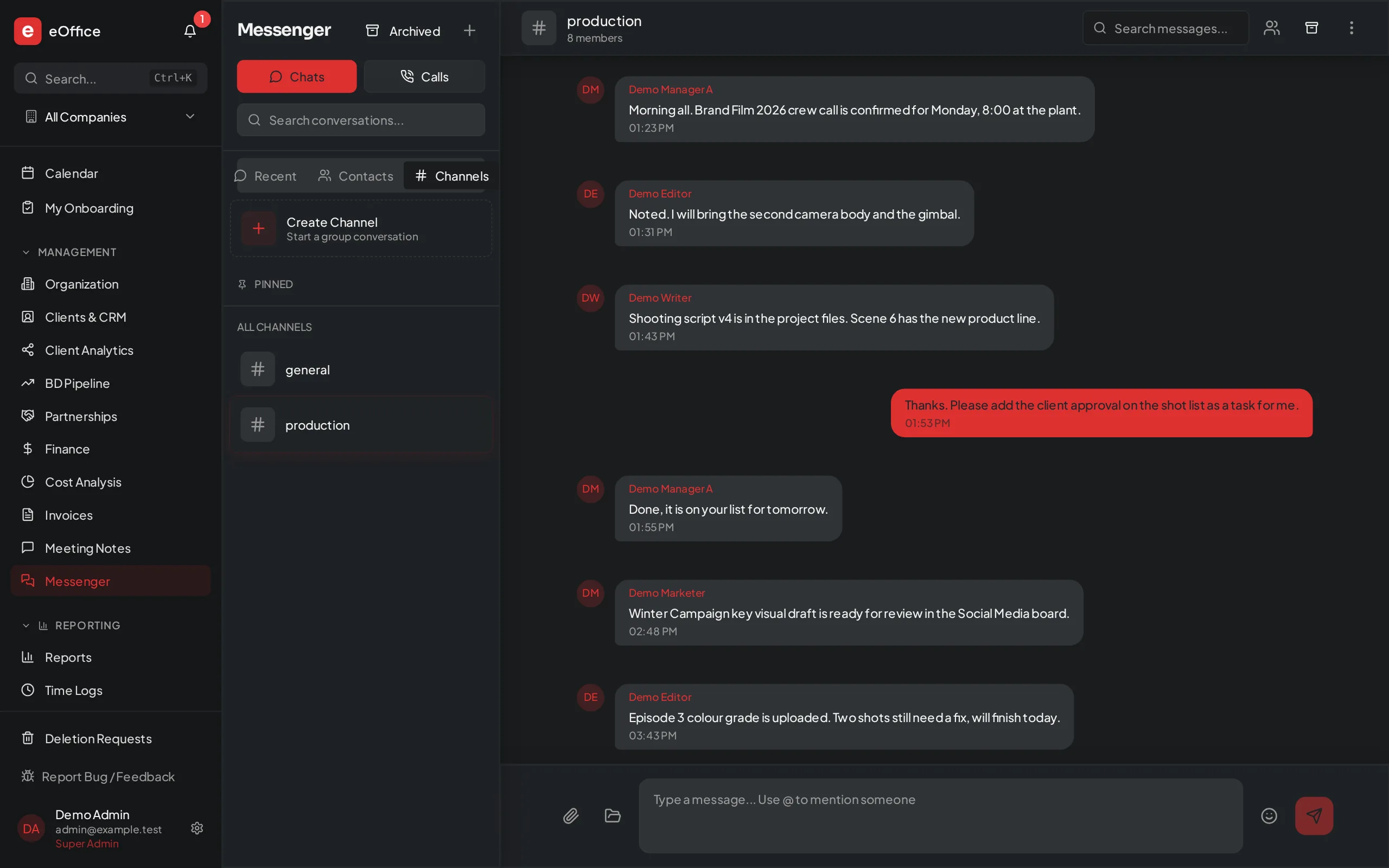
Real product screens with sample data. Some views are cleaned-up renders of the same screens.
- Status
- deliveredDelivered client system
- Runs on
- Web
- Built with
- React, TypeScript, Express, Prisma, PostgreSQL, Socket.IO
Video
eOffice in under two minutes
Explainer film with AI narration. The interface is rebuilt from the product with sample data and fictional names.
Overview
Operational context
Growing teams often run projects in one tool, clients in a spreadsheet, leave requests on chat and invoices by e-mail. Each handover loses context, and nobody can see the whole picture. A shared portal ties each project to its client, its people and its money.
What it covers
Capabilities
Projects and tasks with owners, due dates, comments and reminders.
Clients, a nine-stage sales pipeline and a client portal.
HR: staff, attendance, leave approvals, hiring and onboarding.
Finance: ledger, invoices and payment verification.
Messenger with channels and voice and video calls.
10 features
Features
Dashboards
projects, tasks and the team at a glance, with a separate view for leadership.
Projects
grid, list, board and table views, with members, links and expenses.
Tasks
assignees, priorities, due dates, comments, attachments and @mentions, with due-date reminders.
Sales pipeline
drag a deal through nine stages, from first lead to closure, with its history kept.
Social posts
write once, preview for each platform, and track drafts, scheduled and published posts with their engagement.
HR
staff directory, clock in and out, leave requests with approvals, and a hiring pipeline from application to offer.
Invoices
send, remind and track; clients submit payment through their own portal and finance verifies it.
Messenger
direct messages and channels, with voice and video calls built in.
Meeting notes with action items, a wiki for procedures, and a shared document library.
Your company
switch modules on per company or unit, with your own logo and roles for every level.
How it works
How the workflow connects
Win the client in the pipeline, run the work as a project, keep people and leave in HR, then invoice and confirm payment, all on the same records.
Set up
switch on the modules you need, add your units, roles and logo.
Win
track leads and deals through the sales pipeline and client records.
Deliver
run projects, tasks, posts and meetings with the team.
Get paid
send invoices, let clients submit payment through their portal, and verify it.
Status
Implementation and status
deliveredDelivered client system
A delivered client system, built for a production company and renamed eOffice for new clients. Example screens use sample data. Modules are switched on to suit each company.
The discussion starts with the intended users, existing systems and delivery requirements. Confirm which functions can be demonstrated, what would need adaptation and how access, hosting and support would be arranged for the proposed use.
Built with
- React
- TypeScript
- Express
- Prisma
- PostgreSQL
- Socket.IO
Runs on
Web
Questions buyers ask
What is eOffice?
eOffice is a web portal that brings projects, clients, the sales pipeline, people, invoices and team chat into one place. Every team works from the same records, so nobody keeps a private tracker.
Who is eOffice for?
eOffice is for agencies, studios, consultancies and service businesses with several teams or units. It serves everyone from the founder's dashboard down to the intern's task list.
What can the eOffice portal do?
eOffice covers projects and tasks, clients with a nine-stage sales pipeline, HR, finance and a messenger with voice and video calls. Modules are switched on per company, with your own logo and roles for every level.
Is eOffice ready to use?
eOffice is a delivered client system, built for a production company and renamed eOffice for new clients. Example screens use sample data. Modules are switched on to suit each company. To take the next step, use “Discuss an eOffice for your team” on this page.
Build something like this
Running your office on five different tools? We can bring them into one.
Discuss an eOffice for your team